
SyncTools: eBay – QuickBooks Integration
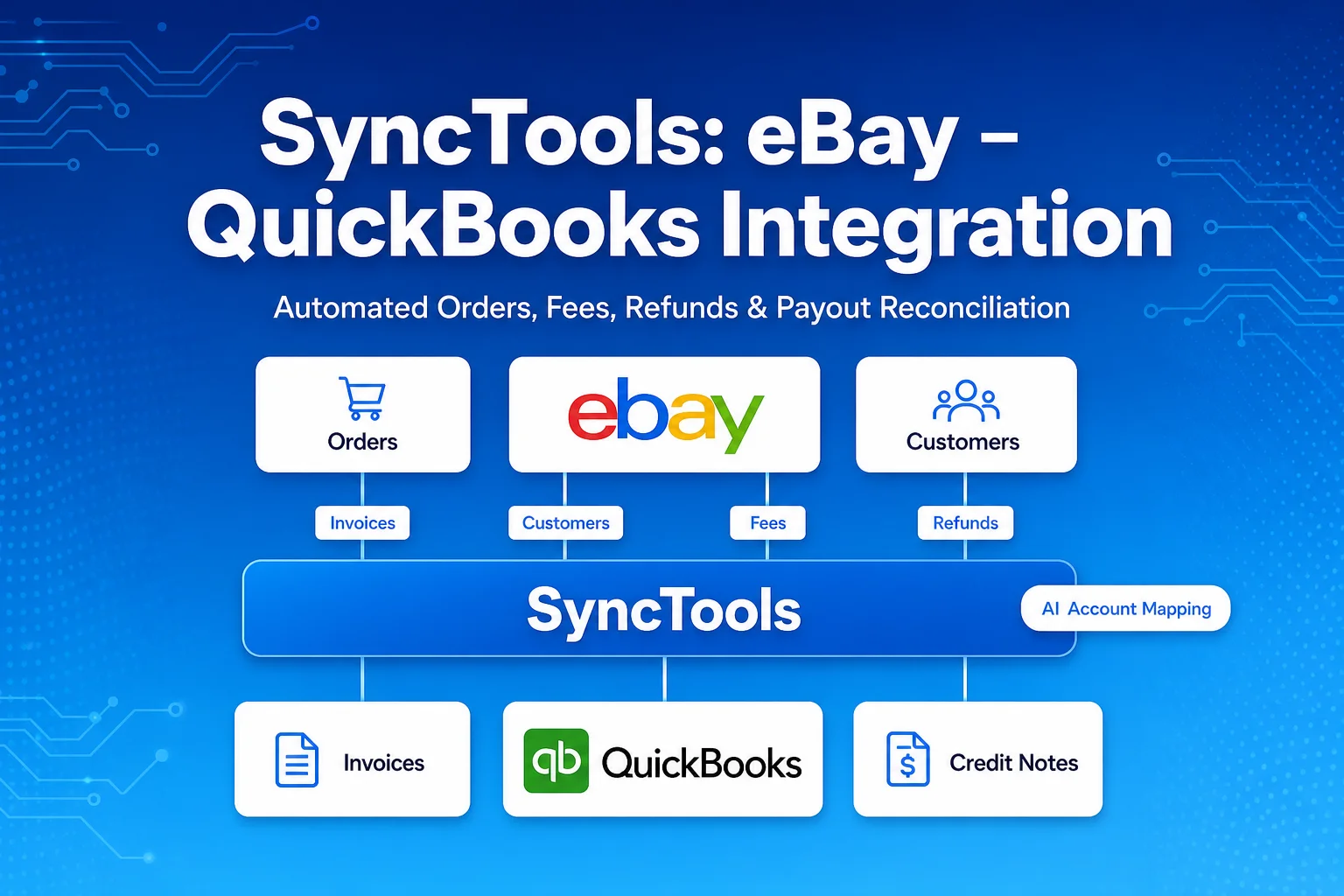
How SyncTools gave high-volume eBay sellers financial accuracy and efficiency through a reliable, automated QuickBooks Online integration - automating invoices, customer sync, fees, refunds, and Managed Payments payouts with no manual data entry.
About SyncTools
SyncTools is a cloud integration platform used by e-commerce sellers to bring orders into their accounting systems automatically. It connects platforms such as eBay and Shopify to accounting tools including QuickBooks Online, Xero, and Zoho Books.
The team behind SyncTools set out to give high-volume eBay sellers financial accuracy and efficiency through a reliable, automated integration with QuickBooks Online (QBO).
The objective was to ensure smooth creation of invoices, synchronization of customers, and correct processing of fees, refunds, and Managed Payments payouts - all through a robust backend integration that keeps the seller’s books reconciled with no manual data entry.
The Challenges
The challenges faced by eBay sellers before integrating with QuickBooks Online include:
1. Absence of Financial Integration
Every invoice had to be created manually from eBay into QBO, causing:
- Delays in billing and month-end close.
- Higher chance of accounting errors and mis-postings.
- A heavy, repetitive administrative burden on the finance team.
2. Customer Mismatch Between eBay & QBO
eBay buyer records frequently did not correspond with Customer records in QBO. A mechanism was required to:
- Automatically detect if a customer already exists in QBO (by email, then eBay username).
- Create a new customer if none is found - including guest-checkout buyers.
- Ensure subsequent invoices always map to the correct QBO customer, with no duplicates.
3. Fees, Refunds & Payouts Hidden in Net Settlements
eBay nets fees and refunds out of Managed Payments payouts, so sellers lacked true visibility. The integration needed to:
- Separate every eBay fee (final value, listing, promoted-listing, subscription) into its own expense account.
- Sync refunds as credit notes linked to the original invoice, reversing revenue, tax, and inventory.
- Reconcile each lump-sum payout against the QBO bank feed by splitting it into sales, fees, and refunds.
4. Complex Multi-API & Authentication Requirements
eBay exposes data across three APIs (Fulfillment, Trading, Finances) that must be combined into one accounting truth. The integration needed:
- OAuth 2.0 authentication for both eBay and QuickBooks Online.
- Effective management of access and refresh tokens.
- Support for token renewal and multi-company (multi-organisation) access.
5. Tax, Multi-Currency & COGS Complexity
Cross-border selling introduced accounting nuances that, if mishandled, create false liabilities or misstated profit:
- Marketplace-facilitator tax must be mapped without creating a false tax liability for the seller.
- Multi-currency orders must preserve order currency and exchange rate, and reconcile in settlement currency.
- Cost of Goods Sold and inventory must be recognised accurately, and reversed on refunds.
The Solution
We have designed SyncTools for scalability and future expansion across marketplaces and accounting platforms with:
1. OAuth 2.0 Authentication
- “Sign in with eBay” and “Sign in with QuickBooks” integration.
- Robust callback and error handling during authorization.
- Safe storage of access and refresh tokens with automatic token-refresh middleware.
- Support for multi-company deployment and client-side configuration docs.
2. Customer Sync APIs
- Search QBO customer by email / display name to prevent duplicates.
- Auto-create the customer if not found, including guest-checkout buyers.
- Return the QBO Customer ID for SyncTools internal mapping.
- Incremental synchronization using last-modified dates.
3. Order → Invoice Sync APIs
- Bulk invoice generation from eBay orders.
- Support for detailed or summarized line items.
- Category-to-Chart-of-Accounts mapping (sales, shipping, fees, tax).
- Paid orders receive an immediate payment application; unpaid orders post to Accounts Receivable.
4. Refund, Payout & Fee Sync
- Refunds synced as credit notes (full, partial, goodwill, shipping- and tax-inclusive).
- Each Managed Payments payout recorded as the exact net deposit, split into sales, fees, and refunds.
- Order-less payouts (reserve releases, fee reversals) handled via journal entries.
5. Value-Added, AI-Driven Features
- AI Account Mapping: recognizes each eBay transaction type and auto-creates/maps the correct QBO chart-of-accounts entry - accurate books from the first sync.
- AI Threshold Advisor: monitors sales against UK/EU VAT and US economic-nexus thresholds and proactively alerts sellers as limits approach.
6. Documentation & Handoff
- Configuration instructions.
- Clarification sessions with the engineering team.
Results and Impact
1. Near Real-Time Invoice Syncing
- eBay orders now post to QuickBooks automatically via the API.
- Eliminates manual re-entry and removes billing delays.
2. 100% Reduction in Customer Mismatch
- Auto-create and dedupe logic delivers clean customer mapping from eBay to QBO.
- No failed postings from missing or duplicate customers.
3. Accurate Fees, Refunds & Margin Visibility
- Every fee is broken out, giving true product margins for the first time.
- Refunds reverse revenue, tax, and inventory correctly with no double-counting.
4. Clean Payout Reconciliation
- Each payout ties out exactly against the QBO bank feed.
- Mixed and order-less payouts handled without manual adjustment.
5. Zero-Touch Authentication
- OAuth 2.0 auto-refresh keeps syncing uninterrupted with no manual re-authorization.
6. Foundation for Multi-Platform Expansion
- The flexible architecture lets sellers control data flow (summarized or detailed, frequency, categories).
- Provides a proven base to extend the same engine to Xero, Zoho Books, and further marketplaces.
Conclusion
The eBay – QuickBooks Online integration delivers a safe, reliable, and scalable backend solution to the core accounting challenges faced by eBay sellers. By focusing on authentication, customer sync, invoice generation, and correct handling of fees, refunds, and payouts - enhanced by AI Account Mapping and the AI Threshold Advisor - SyncTools automates the seller’s entire eBay bookkeeping process. Beyond removing manual work, it establishes a strong foundation for expansion across additional marketplaces and accounting platforms.
Ready to automate your accounting?
Connect Shopify, WooCommerce, or Linnworks to QuickBooks, Xero & more. Setup in minutes.