
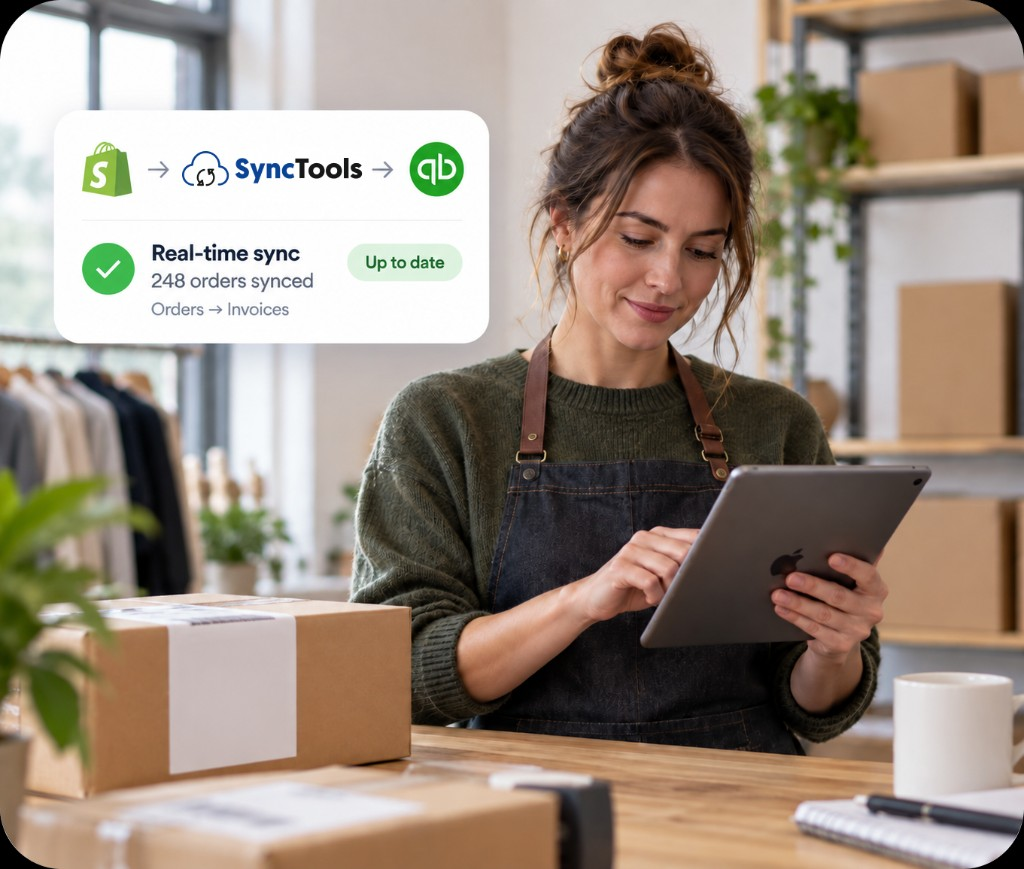
Automate Shopify & QuickBooks Online Integration with Real-Time Data Sync
Connect Shopify and QuickBooks Online to automatically sync orders, customers, products, taxes, shipping, discounts, payouts, and refunds. Reduce manual bookkeeping, simplify reconciliation, and keep your financial records accurate with real-time synchronization.
Yes, Shopify integrates with QuickBooks Online through SyncTools. The integration syncs Shopify orders, refunds, fees, taxes, COGS, and payout settlements into QuickBooks as clean journal entries or individual transactions. Categorize by country, product category, or sales channel. Setup takes under 15 minutes.
Trusted by Accounting and Finance Teams.
How the Shopify QuickBooks Online Integration Works
SyncTools connects your Shopify store to QuickBooks Online using secure OAuth authentication - no passwords stored, no manual CSV exports. Once connected, Shopify transactions post to QuickBooks within minutes of occurring.
What syncs: Sales orders, refunds, payment gateway fees (Shopify Payments, Stripe, PayPal), Shopify platform fees, shipping charges, sales tax by jurisdiction, cost of goods sold (COGS), and payout settlements. Each item maps to the correct QuickBooks account in your chart of accounts - no guesswork, no manual journal entries after the fact.
Sync modes: Choose summarized sync - which consolidates daily Shopify activity into clean QuickBooks journal entries - or individual transaction sync that mirrors every order, payment, and refund one-to-one in QuickBooks. Summarized sync is ideal for high-volume stores; individual sync gives your accountant the granular detail they need for month-end close.
Unique categorization: SyncTools automatically categorizes income and expenses by country and state, product category, or Shopify sales channel (Online Store, POS, Facebook, YouTube). This gives you the most detailed P&L breakdown available in QuickBooks - far beyond what basic integrations offer.
Who uses it: Shopify merchants processing 200–5,000+ orders per month who need clean QuickBooks records. E-commerce accountants managing multiple Shopify clients from one dashboard. Growing DTC brands that need true profitability data with accurate COGS. Multi-channel sellers tracking revenue by source inside QuickBooks.
Pricing: SyncTools starts free - up to 200 orders per month, no credit card required. Paid plans start at $19/month (Lite), scaling to Standard ($59/month, 2,000 orders) and Plus ($89/month, 5,000 orders). All plans include the complete Shopify QuickBooks integration.
Choose the Right Shopify QuickBooks Integration for Your Accounting Workflow
Whether you need every Shopify order recorded individually or prefer summarized journal entries, SyncTools gives you the flexibility to match your bookkeeping process and reporting requirements.
Summarised Sync to QuickBooks Journal Entries
Consolidate sales, refunds, taxes, balances, and COGS into clean journal entries instead of cluttering QuickBooks with thousands of individual transactions.
Individual Transaction Sync to QuickBooks
Sync every Shopify order, payment, product, customer, refund, fee, and COGS individually into QuickBooks Online with perfect one-to-one accuracy.
Turn Shopify Sales into Accurate QuickBooks Financial Reports
Automatically convert Shopify orders into organized QuickBooks Online financial records. SyncTools maps sales, refunds, taxes, shipping, payment methods, gift cards, and cost of goods sold into the correct accounts, helping finance teams generate accurate Profit & Loss statements and balance sheets without manual bookkeeping.
Automatically Categorize Shopify Sales by Country and State in QuickBooks
Automatically organize Shopify sales, refunds, taxes, shipping charges, and payment transactions by country and state before they reach QuickBooks Online. Whether you sell across multiple US states or internationally, SyncTools keeps your accounting structured, making regional reporting, tax preparation, and financial analysis much easier.
- Automatically separate sales by country and state
- Improve regional tax reporting and compliance
- Generate location-wise Profit & Loss reports
- Reduce manual account mapping and spreadsheet work
- Easily analyze revenue by market or region
Track Product & Category Performance in QuickBooks
Understand which Shopify products, collections, tags, and categories contribute the most to your business. SyncTools automatically maps sales into QuickBooks Online, giving finance teams accurate product-level reporting to analyze revenue trends, compare category performance, and make smarter inventory and pricing decisions.
- Identify your highest-performing products and collections
- Compare revenue across categories, tags, and product lines
- Improve pricing, inventory, and purchasing decisions
- Generate product-level financial reports in QuickBooks
- Customize category mappings to fit your accounting workflow
Analyze Sales Channel Performance in QuickBooks
Selling through Shopify often means managing multiple sales channels. SyncTools automatically categorizes revenue, refunds, shipping, taxes, and transaction fees by channel before syncing the data into QuickBooks Online. This gives finance teams a clear picture of which channels drive growth, profitability, and long-term business performance.
- Compare revenue, refunds, and fees across every sales channel
- Identify your highest-performing sales channels
- Improve marketing and inventory planning with financial insights
- Generate channel-level financial reports in QuickBooks
- Customize mappings to match your reporting requirements
Automatically Reconcile Shopify Payouts in QuickBooks
Reconciling Shopify payouts with bank deposits becomes increasingly complex as order volumes grow. SyncTools automatically matches Shopify payouts with QuickBooks Online deposits, including refunds, payment processing fees, and adjustments, helping finance teams maintain accurate books while significantly reducing manual reconciliation work.
- Automatically match Shopify payouts with QuickBooks deposits
- Reduce reconciliation time during month-end close
- Account for payment fees, refunds, and adjustments
- Minimize bookkeeping errors and duplicate entries
- Maintain audit-ready financial records
Calculate Your True E-commerce Profit in QuickBooks
Revenue is only part of the story. SyncTools automatically combines Shopify sales, refunds, shipping charges, payment processing fees, inventory values, and Cost of Goods Sold (COGS) in QuickBooks Online to give you an accurate view of your gross profit and net profit. Eliminate manual calculations and gain the financial clarity needed to make confident business decisions.
- Automatically calculate gross and net profit
- Include COGS, refunds, shipping, and transaction fees
- Generate accurate Profit & Loss reports
- Improve inventory planning and pricing decisions
- Track profitability with confidence
Connect Shopify and QuickBooks in Just 3 Simple Steps
Setting up SyncTools is quick and straightforward. Securely connect your Shopify store and QuickBooks Online account, customize your accounting preferences, and automate your e-commerce bookkeeping in minutes without coding or manual data entry.
Connect Your Accounts
Link your Shopify store and QuickBooks account with secure OAuth authentication in under 2 minutes.
Configure Settings
Choose your sync preferences, mapping rules, and automation settings with our guided setup wizard.
Start Syncing
Activate the integration and watch your data sync automatically in real-time. That's it!
Ready to Automate Your Shopify Accounting with QuickBooks?
Join e-commerce businesses that use SyncTools to automatically sync Shopify orders, customers, products, taxes, shipping, refunds, payouts, and inventory with QuickBooks Online. Reduce manual bookkeeping, simplify reconciliation, and gain accurate financial reporting all from one powerful integration.
Why Ecommerce Businesses Choose SyncTools for Shopify & QuickBooks Integration
SyncTools is purpose-built for ecommerce businesses that need more than basic data synchronization. From automated reconciliation to advanced financial reporting, every feature is designed to simplify Shopify accounting while keeping QuickBooks Online accurate and up to date.
Smart Reconciliation
AI-powered matching automatically reconciles transactions, saving hours of manual work every week.
Multi-Store Support
Connect multiple Shopify stores to a single QuickBooks account with separate tracking for each location.
Advanced Reports
Generate comprehensive financial reports with real-time insights into sales, expenses, and profitability.
Bank-Level Security
SOC 2 Type II certified with 256-bit encryption ensuring your financial data stays protected.
Manage your bookkeeping effortlessly
Choose the plan that fits your business needs
Compare Plans and Features
See which plan includes the features you need
Trusted by Teams Worldwide
Thousands of accounting firms and finance teams rely on SyncTools to streamline reconciliation and save hours every month.
Customers who are Trusting Us
Haider Ali
Business Owner
"Excellent app. Very easy to work with. Very knowledgeable, understanding, and open to any requests."
Tom Brookes
Finance Director
"Best in class. If you use Linnworks and Xero, SyncTools is a phenomenal tool, far superior to any alternative we've tried."
Deborah Whitfield
Customer
"I recently installed SyncTools and it is easy to use. The team worked quickly, kept me informed, and now everything runs smoothly."
Heather Cook
Customer
"Best Xero connector on the market. Excellent customer support and continuous development from an app that does exactly what it says."
Harvey Uppal
Customer
"AWESOME: Excellent tool and has saved us so much time. Credit to the support team for being so helpful in setup and post-setup."
Geoff Ainsworth
Customer
"Excellent tool: Does what it says and connects seamlessly & if you have any issues the support is amazing!"
Nirav Khiroya
Customer
"Fantastic support: The team has always been diligent and proactive about fixing any bugs that arise. Would highly recommend them."
Robert Morris
Customer
"Have been using the Linnworks Xero connector for a couple of years now. It is very reliable and the developers are keen to improve it."
Connie Sturman
Customer
"I just looked in the connector and it looks like they were able to get the purchase orders synced... thank the team for us. Thank you for your help."
Shopify QuickBooks Integration: Frequently Asked Questions
Common questions about connecting Shopify to QuickBooks Online with SyncTools
Does Shopify integrate with QuickBooks Online?
Yes. Shopify can integrate with QuickBooks Online using SyncTools. The integration automatically syncs orders, customers, products, taxes, shipping charges, refunds, payouts, and payment details, eliminating manual bookkeeping and reducing reconciliation errors.
What data can SyncTools sync between Shopify and QuickBooks?
SyncTools can synchronize: Orders, Customers, Products, Inventory, Taxes, Shipping, Discounts, Refunds, Payment methods, Payouts, Journal Entries, and Cost of Goods Sold (COGS).
Can I sync Shopify orders individually or as journal entries?
Yes. SyncTools supports both individual order synchronization and summarized journal entry synchronization. You can choose the option that best fits your accounting workflow and reporting requirements.
Can Shopify refunds and returns sync with QuickBooks?
Yes. Refunds, returns, shipping adjustments, taxes, and related financial transactions can automatically sync into QuickBooks, helping maintain accurate accounting records.
Does SyncTools support Shopify Plus?
Yes. SyncTools works with both Shopify and Shopify Plus stores, making it suitable for growing ecommerce businesses and enterprise merchants.
Can I connect multiple Shopify stores?
Yes. You can connect multiple Shopify stores to QuickBooks Online while maintaining separate reporting and flexible account mappings for each store.
How long does setup take?
Most businesses complete setup in less than 10 minutes. Simply connect Shopify and QuickBooks Online, configure your preferred accounting rules, and start syncing automatically.
How often does SyncTools synchronize data?
SyncTools automatically synchronizes new Shopify transactions based on your configured sync schedule, helping QuickBooks Online stay up to date without manual imports.
Is my financial data secure?
SyncTools uses secure OAuth authentication, encrypted API communication, and enterprise-grade security practices to protect your Shopify and QuickBooks data.
Can I customize how data is mapped?
Yes. You can customize how orders, products, taxes, shipping charges, discounts, payment methods, refunds, and other financial data map into QuickBooks according to your accounting workflow.
Does SyncTools support historical data imports?
Yes. Historical data synchronization is available based on your selected configuration, allowing you to import past Shopify transactions into QuickBooks when required.
What happens if a sync fails?
If a synchronization issue occurs, SyncTools provides detailed error notifications and logs to help identify the problem. Once resolved, transactions can be synchronized again without creating duplicate records.
