Best Shopify QuickBooks Integration 2026 - Top Apps Compared
The best Shopify QuickBooks integration apps for 2026 - reviewed for sync accuracy, fee mapping, multi-channel support, and pricing. SyncTools leads for most sellers.
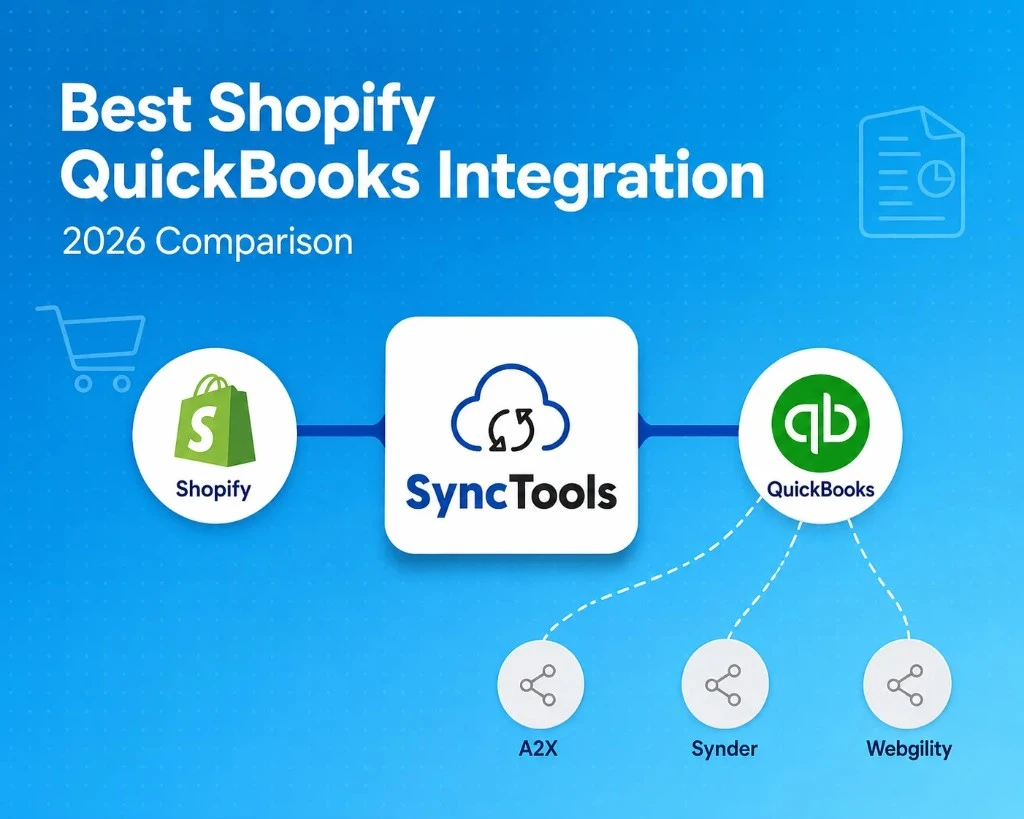
Shopify does not natively sync to QuickBooks Online. You need a third-party integration to move sales, fees, refunds, taxes, and payout data automatically. The right tool saves 10–25 hours per month of manual bookkeeping and prevents the most common eCommerce accounting errors.
TL;DR: The best Shopify QuickBooks integration in 2026 is SyncTools - free plan available, both summarized and individual sync modes, AI accounting agent, and support for Shopify alongside Amazon, WooCommerce, and Linnworks. Paid plans from $19/month.
What a Correct Shopify QuickBooks Integration Must Do
Before comparing tools, establish your baseline requirements. A correct integration must handle four things:
- Gross-to-net revenue separation. Shopify pays out net (after fees and refunds). Post gross sales to revenue; record Shopify Payments fees and refunds separately.
- Sales tax as liability. Shopify collects sales tax on your behalf. That tax goes to a tax payable account - not income. An integration that posts tax to revenue overstates gross income.
- Refunds as contra-revenue. Refunds must reduce revenue, not appear as arbitrary expenses.
- Payout reconciliation. Each Shopify Payments payout deposit to your bank should match the sum of the transactions that made it up. One-click bank reconciliation is the standard.
Any integration that fails these four creates books that will require manual corrections every month. Test all four in any trial period.
How We Evaluated Shopify QuickBooks Integrations
We evaluated Shopify QuickBooks integrations against the accounting workflows that matter most once an ecommerce business moves beyond basic order syncing.
A connector is not useful simply because it can move Shopify data into QuickBooks. The important question is whether the resulting books are accurate, reconcilable, auditable, and practical to maintain as order volume grows.
Our evaluation criteria
| Criterion | What we looked for |
|---|---|
| Accounting accuracy | Gross sales, refunds, discounts, taxes, and payment fees mapped to the appropriate accounts |
| Payout reconciliation | Shopify Payments payouts matched against the underlying transactions and bank deposits |
| Sync flexibility | Support for both summarized payout-level accounting and individual transaction-level sync |
| Channel coverage | Support for Shopify alongside marketplaces and other ecommerce channels |
| Exception handling | How unmatched or unusual transactions are surfaced for review |
| Setup and migration | Connection process, account mapping, historical data import, and implementation complexity |
| Pricing | Entry price, volume limits, channel costs, and features included at each tier |
| Security and trust | Published security controls, certifications, marketplace presence, and product maturity |
The four accounting tests
Every Shopify QuickBooks integration should pass four basic accounting tests:
- Revenue test — Gross Shopify sales should remain gross revenue. Payment fees, refunds, discounts, and other deductions should not silently reduce the revenue figure without appropriate accounting treatment.
- Tax test — Sales tax collected from customers should be treated as a tax liability rather than revenue.
- Refund test — Refunds should reverse the appropriate sales and tax amounts rather than appearing as unrelated expenses.
- Settlement test — The Shopify Payments payout recorded in QuickBooks should reconcile to the actual bank deposit.
These four tests are more important than the number of features an integration advertises. A connector with fewer features but accurate settlement accounting can be more useful than a feature-rich connector that requires frequent manual corrections.
How to use this comparison
The rankings below are based on the use cases each product is best suited to, rather than assuming one integration is universally right for every Shopify merchant.
Pricing and product capabilities can change, so verify current pricing and feature availability before making a purchase decision.
Best Shopify QuickBooks Integration Apps 2026
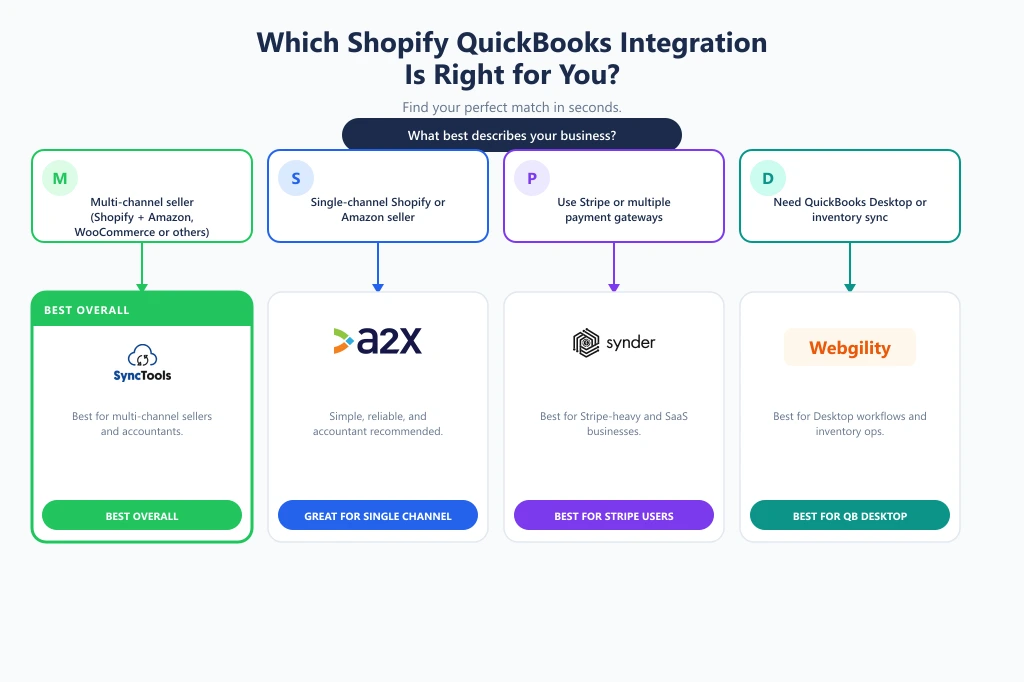
#1 SyncTools — Best for Multi-Channel Ecommerce
Price: Free plan available · Paid plans from $19/month
Best for: Multi-channel sellers, ecommerce businesses scaling beyond Shopify, and accounting firms managing multiple clients
Strengths
- Supports Shopify alongside Amazon, WooCommerce, eBay, Etsy, Walmart, Linnworks, and other channels
- Offers both summarized and individual transaction sync
- Automated payout reconciliation
- AI accounting features for querying financial data
- Partner dashboard for accounting firms
- Free plan available for smaller merchants
- SOC 2 security credentials, where applicable to the current product offering
Limitations
- Businesses with a single Shopify store and very simple accounting requirements may not need its broader multi-channel capabilities.
- Businesses using QuickBooks Desktop should confirm current Desktop compatibility rather than assuming QBO and Desktop support are identical.
Best fit: Merchants that want one integration layer across multiple ecommerce channels or expect their channel mix to expand.
#2 A2X — Best for Established Payout-Level Accounting Workflows
Price: From $29/month
Best for: Shopify and Amazon sellers who primarily want summarized payout accounting
Strengths
- Established focus on ecommerce settlement accounting
- Strong familiarity among accountants working with marketplace sellers
- Payout-level summarized accounting is well suited to merchants who don't need individual transaction entries
- Shopify and Amazon support
Limitations
- Does not provide individual transaction-level sync
- Does not support WooCommerce
- No free plan
- Less suited to merchants wanting one integration across a broader multi-channel stack
Best fit: A Shopify or Amazon seller whose accountant already uses A2X and prefers summarized payout-level accounting.
Consider an alternative if: You need individual transaction-level data, broader channel coverage, or a single integration for Shopify plus multiple marketplaces.
#3 Synder — Best for Shopify Businesses With Significant Stripe Activity
Price: Approximately $52–$101/month depending on configuration and add-ons
Best for: Businesses combining Shopify with Stripe, PayPal, Square, or subscription-oriented payment workflows
Strengths
- Strong focus on payment processor integrations
- Supports Shopify alongside Stripe and other payment platforms
- Individual transaction synchronization
- Automation rules can support more complex categorization requirements
Limitations
- Advanced automation can increase the effective monthly cost
- Broader payment-processor functionality may be unnecessary for a Shopify-only merchant
- Setup can be more involved for businesses looking for a straightforward ecommerce accounting workflow
Best fit: Businesses where Stripe or other payment processors are a major part of the revenue stack.
Consider an alternative if: Your primary requirement is Shopify and marketplace settlement reconciliation rather than payment-processor connectivity.
#4 Webgility — Best for QuickBooks Desktop Users
Price: From approximately $24/month
Best for: Businesses that still rely on QuickBooks Desktop and need ecommerce order, inventory, and accounting connectivity
Strengths
- QuickBooks Desktop support
- Ecommerce order and inventory capabilities
- Shopify and marketplace integrations
- Useful for businesses operating an established Desktop-based accounting workflow
Limitations
- More functionality can mean a more involved implementation
- Less relevant for cloud-first businesses that only need straightforward QBO synchronization
- Does not offer the same AI accounting functionality described for SyncTools
Best fit: Merchants that need to retain QuickBooks Desktop or want ecommerce operations and accounting functionality in the same integration workflow.
Consider an alternative if: Your business is entirely cloud-based and you want a lightweight Shopify-to-QBO setup.
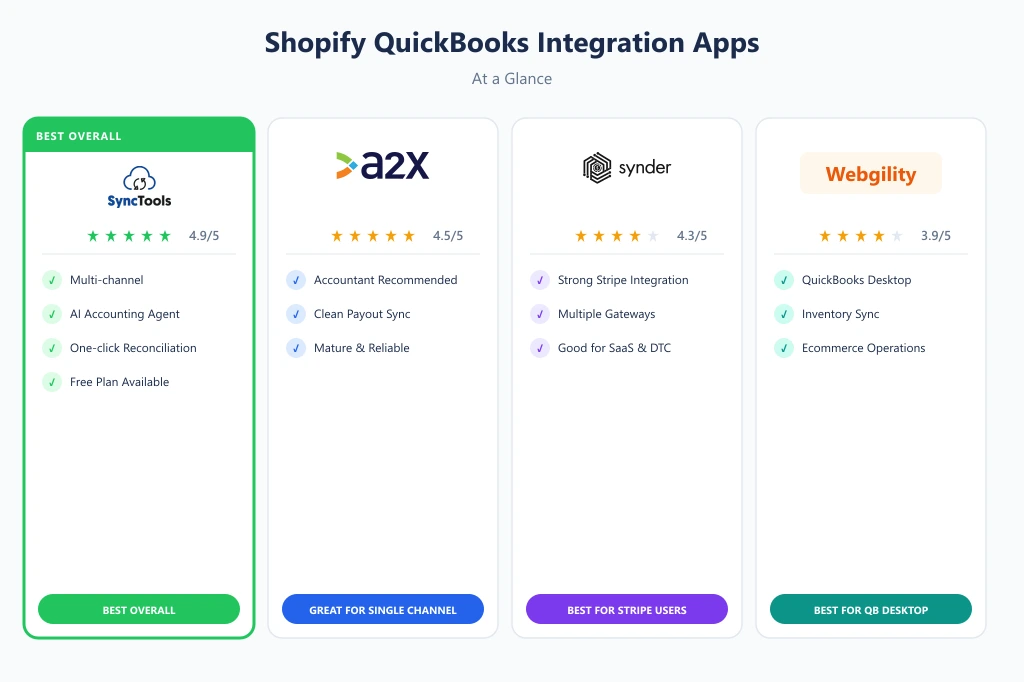
Shopify QuickBooks Integration Comparison
Feature availability is only one part of the decision. The right integration depends on your sales channels, accounting workflow, transaction volume, and the level of reconciliation detail your finance team needs.
| Decision factor | SyncTools | A2X | Synder | Webgility |
|---|---|---|---|---|
| Shopify | ✓ | ✓ | ✓ | ✓ |
| Amazon | ✓ | ✓ | ✓ | ✓ |
| WooCommerce | ✓ | — | ✓ | — |
| Linnworks | ✓ | — | — | — |
| QuickBooks Online | ✓ | ✓ | ✓ | ✓ |
| QuickBooks Desktop | Verify current support | — | — | ✓ |
| Summarized sync | ✓ | ✓ | ✓ | ✓ |
| Individual transaction sync | ✓ | — | ✓ | ✓ |
| Payout reconciliation | ✓ | ✓ | ✓ | ✓ |
| Multi-channel management | ✓ | Partial | ✓ | ✓ |
| AI accounting features | ✓ | — | — | — |
| Partner/accountant tools | ✓ | ✓ | — | — |
| Free plan | ✓ | — | — | — |
| Best suited for | Multi-channel ecommerce | Payout-level accounting | Stripe + ecommerce | QuickBooks Desktop |
| Setup complexity | Low–Medium | Low–Medium | Medium | Medium–High |
Which Shopify QuickBooks Integration Should You Choose?
There is no single Shopify QuickBooks integration that is ideal for every merchant. Your channel mix, accounting workflow, and level of transaction detail matter more than the headline feature count.
Choose SyncTools if:
- You sell through Shopify plus Amazon, WooCommerce, or other channels
- You want summarized or individual transaction sync
- Automated payout reconciliation is important
- You want to manage multiple sales channels from one integration
- You want to start with a free plan
- Your accounting firm manages multiple ecommerce clients
Choose A2X if:
- Shopify or Amazon is your primary sales channel
- Your accountant already recommends A2X
- Payout-level summarized accounting is sufficient
- You value an established marketplace-accounting workflow over broader channel coverage
Choose Synder if:
- Stripe is a significant part of your revenue workflow
- You operate Shopify alongside multiple payment processors
- Individual transaction-level synchronization is important
- Your accounting workflow benefits from configurable automation rules
Choose Webgility if:
- Your business still operates on QuickBooks Desktop
- Inventory and order management are important requirements
- You need deeper connectivity between ecommerce operations and your existing Desktop accounting workflow
The simplest decision rule
If you already have an accountant or bookkeeper, include their existing accounting workflow in the decision. A technically capable integration that creates a process your finance team does not want to maintain can create more operational friction than it removes. SyncTools
What Does Shopify QuickBooks Integration Really Cost?
The shared starting price is not necessarily the cost a growing ecommerce business will pay.
Integration pricing can depend on order volume, transaction limits, supported channels, historical data, automation features, and whether additional channels or advanced functionality are charged separately.
Compare total cost, not starting price
Before choosing an integration, check:
- Monthly order allowance
- Number of connected sales channels
- Number of Shopify stores
- Historical transaction limits
- Individual versus summarized sync
- Advanced automation features
- Additional channel charges
- Accountant or partner pricing
- Cost of moving to the next volume tier
Example merchant profiles
| Merchant profile | Monthly orders | Channels | What matters most |
|---|---|---|---|
| Small Shopify seller | 100–200 | Shopify | Low entry cost and simple setup |
| Growing DTC brand | 1,000–2,000 | Shopify + Amazon | Payout reconciliation and multi-channel support |
| Multi-channel merchant | 5,000+ | Shopify + Amazon + WooCommerce | Volume pricing and broad channel coverage |
| Accounting firm | Multiple client stores | Multiple | Partner dashboard and centralized account management |
A lower starting price can become more expensive if your business requires additional channels, higher transaction limits, or premium automation features.
Before committing, calculate the monthly cost at your expected order volume today and at the volume you expect to reach over the next 12–24 months.
Switching From Another Shopify QuickBooks Integration
You do not need to wait until your existing integration becomes unusable to consider switching. A change can make sense when your sales channels expand, reconciliation becomes too manual, pricing no longer scales, or your accounting team needs more detailed transaction data.
A safer migration process
- Choose a cutover date — Select a clear date from which the new integration will become responsible for synchronization.
- Document the existing account mapping — Export or record your current revenue, tax, refund, fee, clearing-account, and payout mappings before changing anything.
- Reconcile the existing integration — Bring outstanding Shopify payouts and QuickBooks entries up to date before switching. This reduces the risk of carrying unresolved differences into the new system.
- Configure the new integration — Connect Shopify and QuickBooks, then replicate or improve the existing accounting mappings.
- Test with a controlled period — Run a limited set of transactions through the new integration and compare the results against Shopify reports and QuickBooks.
- Prevent duplicate posting — The most important migration control is making sure historical transactions already posted by the previous integration are not imported again.
- Validate payouts — Compare Shopify Payments payout reports with the corresponding QuickBooks clearing and bank entries.
- Deactivate the old integration — Only disconnect the previous integration after the new workflow has successfully passed reconciliation.
What should you compare before switching?
- Revenue totals
- Shopify Payments fees
- Refunds
- Discounts
- Sales tax
- Payout balances
- Historical transactions
- Exception handling
- Monthly subscription cost
The objective is not simply to move from one connector to another. It is to reach a point where the new integration produces cleaner books with less manual reconciliation work.
How to Set Up Shopify QuickBooks Integration with SyncTools
Setting up Shopify to QuickBooks with SyncTools takes under 15 minutes:
- Install SyncTools from the Shopify App Store or sign up at synctools.ai
- Connect Shopify via OAuth - no API keys required
- Connect QuickBooks Online via OAuth - grant access to your QBO account
- Map your accounts - SyncTools pre-populates mappings for the most common chart of accounts structures; customize as needed
- Configure sync preferences - choose summarized or individual sync, set your sync frequency
- Run your first sync - import historical data (up to 24 months) and verify entries in QuickBooks match your Shopify payout reports
On paid plans, a guided onboarding session is included at no extra cost.
The Bottom Line
The best Shopify QuickBooks integration in 2026 is SyncTools - free to start, accurate by default, and the only tool in the category with an AI accounting agent and multi-channel support including WooCommerce.
For Amazon + Shopify sellers who only need summarized sync, A2X is a proven alternative.
For Stripe-centric businesses, Synder has an edge.
For most eCommerce sellers, SyncTools offers the best combination of accuracy, platform coverage, and price.
Frequently Asked Questions
Should Shopify accounting sync individual orders or payouts?
- There is no universal answer. Payout-level summarized sync can keep the QuickBooks ledger cleaner and reduce transaction volume, while individual transaction sync provides greater detail for businesses that need order-level visibility or auditing. Choose based on how your finance team reconciles Shopify activity and what level of detail it needs in QuickBooks.
How should Shopify Payments fees appear in QuickBooks?
- Shopify Payments fees should be accounted for separately from gross sales rather than simply reducing the revenue figure. The exact account structure depends on the merchant's chart of accounts and accounting policy, but the integration should make the fee component identifiable and reconcilable to the corresponding Shopify payout.
How do I reconcile Shopify payouts in QuickBooks?
- The integration should group the Shopify transactions, refunds, fees, and other adjustments that make up each payout and reconcile the resulting net amount against the bank deposit. If the payout does not match, the integration should surface the difference for investigation rather than silently posting an adjustment.
Can I connect multiple Shopify stores to one QuickBooks company?
- This depends on the integration and the accounting structure you want to maintain. Before connecting multiple stores, verify whether the integration supports store-level mapping, classes, locations, or separate revenue accounts so that each storefront can be reported correctly inside QuickBooks.
Can I connect Shopify and Amazon to the same QuickBooks company?
- Many ecommerce accounting integrations support multiple sales channels feeding the same QuickBooks company. The important consideration is whether each channel's revenue, fees, refunds, taxes, and settlements remain separately identifiable and reconcile correctly.
What happens when a Shopify payout doesn't match QuickBooks?
- A mismatch should be treated as an exception rather than forced into reconciliation. Common causes include refunds, fee adjustments, timing differences, duplicate transactions, missing transactions, or incorrect account mappings. A good integration should identify the discrepancy and provide enough detail to resolve it.
Can I switch from another Shopify QuickBooks integration?
- Yes, but the migration needs a controlled cutover. Reconcile the old integration first, establish a cutover date, document the existing account mappings, prevent duplicate historical imports, and validate the first payouts processed through the new integration.
Ready to automate your accounting?
Connect Shopify, WooCommerce, or Linnworks to QuickBooks, Xero & more. Setup in minutes.