Post-Holiday eCommerce Reconciliation: How to Close Sales, Refunds, Fees, COGS & Payouts After Cyber Week
A practical financial close guide for eCommerce finance teams, controllers, and accountants
The holiday sales rush may end after Black Friday and Cyber Monday, but the financial work often continues well into December and January.
For eCommerce finance teams, the challenge is no longer processing orders. The challenge is determining whether sales reported by Shopify, Amazon, WooCommerce, and other channels match payment settlements, bank deposits, refunds, fees, inventory movements, and accounting records.
A business can report strong Cyber Week revenue while its accounting system still contains unmatched payouts, delayed refunds, missing processing fees, and inaccurate cost of goods sold (COGS).
These differences may not be immediately visible in a sales dashboard. They become apparent when accountants attempt to reconcile the underlying activity.
Post-holiday reconciliation verifies that seasonal eCommerce transactions are recorded in the correct accounts and periods, that settlement balances are explainable, and that the financial statements reflect the economic activity behind the sales.
This guide explains how to approach that process, from reconstructing Cyber Week sales activity to resolving exceptions and completing a defensible financial close.
Why Post-Holiday Reconciliation Requires a Different Approach
During a normal trading period, accounting teams may have manageable transaction volumes and relatively predictable settlement patterns.
Cyber Week changes that operating environment.
Promotional discounts increase, order volumes fluctuate, refund activity follows original sales, and different payment providers settle transactions on their own schedules.
Consider an order placed on November 30:
- The customer purchases a discounted product on November 30.
- The payment processor includes the transaction in a December payout.
- The customer requests a partial refund on December 8.
- The returned product reaches the warehouse on December 12.
- The marketplace deducts the refund from a later settlement.
- The finance team reviews November revenue and December cash activity separately.
Although these events originate from one order, they may affect multiple accounting periods and accounts.
This creates three distinct reconciliation questions:
- Transaction completeness: Were all sales, discounts, refunds, taxes, and fees captured?
- Settlement accuracy: Can the amounts owed by payment providers be reconciled to actual deposits?
- Financial accuracy: Were revenue, COGS, inventory, and related adjustments recognized in the appropriate periods?
A completed bank reconciliation does not automatically answer all three questions.
The finance team needs to reconcile the entire transaction lifecycle rather than treating the final bank deposit as the primary record of sales.
The End-to-End Post-Holiday eCommerce Reconciliation Flow
An effective close connects operational records, settlement activity, accounting entries, and bank transactions.
The following flow illustrates how finance teams can organize that process.
Step 1: Establish a Reliable Cyber Week Sales Baseline
Before reconciling payouts, finance teams must establish which transactions belong to the reporting period.
This sounds straightforward, but sales dashboards and accounting ledgers may report different totals because they use different dates, statuses, and transaction definitions.
For example, Shopify may report orders based on order creation dates, while payment records may reflect capture dates. Accounting recognition may depend on fulfillment or other contractual conditions.
What Finance Teams Should Verify
| Reconciliation area | Required validation |
|---|---|
| Gross sales | Confirm completed orders and relevant sales dates |
| Discounts | Separate promotional discounts from gross merchandise value |
| Shipping | Identify customer shipping charges and related expenses |
| Taxes | Separate applicable tax liabilities from revenue |
| Cancellations | Identify canceled, unpaid, and voided transactions |
| Payment status | Distinguish authorized, captured, and failed payments |
| Channel totals | Reconcile Shopify, Amazon, WooCommerce, and other channel activity independently |
The objective is to establish a consistent sales baseline without assuming that every order represents recognized revenue or settled cash.
Controller's checkpoint: Reconcile the sales activity report to the accounting sales ledger and document differences caused by transaction status, timing, tax presentation, or accounting policy.
Do not adjust the ledger to make it match a dashboard total.
Step 2: Reconcile eCommerce Payouts Against Settlement Activity
eCommerce payout reconciliation verifies that payment processors' and marketplaces' reported amounts can be explained by underlying financial transactions and matched to bank deposits.
This is often one of the most time-consuming activities after Cyber Week.
A payout may contain sales from several dates, refunds from earlier orders, payment fees, chargebacks, reserves, and other adjustments.
As a result, comparing total holiday sales directly with total holiday bank deposits isn't sufficient.
Example: Reconstructing a Cyber Week Payout
Consider the following hypothetical settlement report for an eCommerce retailer.
| Settlement component | Amount |
|---|---|
| Gross merchandise sales | $125,000 |
| Promotional discounts | -$10,000 |
| Shipping revenue | +$3,000 |
| Sales tax collected | +$7,000 |
| Customer refunds | -$8,500 |
| Payment processing fees | -$3,200 |
| Marketplace fees | -$4,500 |
| Chargebacks and adjustments | -$800 |
| Reserve withheld | -$2,000 |
| Expected net payout | $106,000 |
Illustrative example only. Actual settlement calculations depend on platform rules, tax handling, and transaction timing.
The expected payout is $106,000, but that figure is not the retailer's revenue or profit.
The accounting records must separately preserve the appropriate revenue, discount, tax, refund, expense, and reserve components.
If the bank receives $104,500 instead, the finance team must investigate the $1,500 difference rather than automatically posting it as an expense.
Possible explanations include a split deposit, a bank processing delay, an additional settlement adjustment, or an incorrect payout reference.
A more reliable payout-matching method
For each payout, retain the settlement identifier, covered transactions, gross and net amounts, currency, adjustment details, expected payment date, actual bank date, and reconciliation status.
Then compare the settlement report against the payment clearing account and bank feed.
This creates a traceable relationship:
Settlement ID → Underlying transactions → Accounting entry → Bank deposit
When payment providers settle in multiple currencies, reconcile to the original settlement currency before reviewing exchange conversions and bank charges.
Step 3: Match Post-Holiday Refunds to Original Sales
Refund reconciliation becomes particularly important after Cyber Week because customers often return products weeks after purchasing them.
The accounting challenge is that the refund may affect a different period, payout, or inventory record from the original transaction.
Example: A December Refund Against a November Sale
A customer purchases a product for $200 during Cyber Week in November.
In December, the customer returns it and receives a full refund.
The accounting team must determine:
- Whether the original $200 sale was correctly recognized.
- When the refund obligation and related adjustment should be recorded.
- Whether applicable sales tax needs adjustment.
- Whether the payment processor retained any original fees.
- Whether the product was physically returned and is resalable.
- Whether inventory and COGS require corresponding adjustments.
The original order and refund should remain connected through identifiable references.
A refund should not automatically be treated as a new December operating expense. Its accounting depends on the original transaction, the applicable revenue recognition policy, and the circumstances of the return.
The importance of refund timing
Finance teams should distinguish three dates: the customer's refund request date, the date the refund is processed, and the date the product is physically received.
These dates may not coincide.
For example, a refund may be issued before the warehouse inspects the returned item. Reversing COGS and restoring inventory immediately could overstate available inventory if the product is damaged or never arrives.
Controller's checkpoint: Maintain a report of unmatched refunds, refunds awaiting inventory inspection, and material returns spanning reporting periods.
Review whether a returns reserve or refund liability is necessary under the applicable accounting framework.
Step 4: Reconcile Payment Processing and Marketplace Fees
Holiday promotions can change the composition of transaction fees.
Businesses may incur payment processing charges, marketplace commissions, fulfillment charges, refund administration fees, currency conversion charges, or chargeback-related deductions.
Some appear directly in settlement reports. Others are billed separately.
The distinction matters because not every fee is deducted from the same payout.
Fee reconciliation matrix
| Fee category | Primary source | Accounting review |
|---|---|---|
| Payment processing | Gateway settlement report | Compare transaction fees with the mapped expense account |
| Marketplace commission | Marketplace transaction report | Verify commissions and applicable adjustments |
| Fulfillment fees | Marketplace or logistics invoice | Check whether fees were deducted or separately billed |
| Refund-related fees | Refund and settlement records | Identify retained or additional charges |
| Currency conversion | Processor and bank records | Separate FX effects from processing charges |
| Chargeback fees | Dispute reports | Match disputes, reversals, and associated charges |
One important control is preventing duplicate expenses.
For example, a marketplace fulfillment fee may already be recorded from a settlement report. Importing the same charge again from a supplier invoice could overstate expenses.
The finance team should identify the authoritative source for each fee category and establish consistent posting rules.
Review Payment and Marketplace Fees
Step 5: Reconcile COGS and Inventory After Holiday Sales
A successful Cyber Week campaign can increase sales while complicating inventory accounting.
High order volumes, promotional bundles, returned products, damaged stock, and delayed supplier cost updates can all affect COGS.
COGS reconciliation verifies that the cost recognized for goods sold matches the inventory movements and valuation methods used during the reporting period.
Unlike payment reconciliation, this process doesn't primarily focus on matching cash deposits.
It confirms the relationship between units sold, inventory costs, and the resulting financial entries.
Four Areas that Require Attention
1. Product and SKU mapping
Verify that products sold during the holiday period are associated with the correct inventory and COGS accounts. Review new products, bundles, promotional SKUs, and mapping exceptions.
2. Cost accuracy
Check whether product costs were updated during the season and whether the accounting system applied the appropriate inventory valuation method.
A late supplier invoice does not automatically justify replacing historical costs. Adjustments should follow the business's accounting policy.
3. Returned inventory
Determine whether returned products are resalable, damaged, or subject to further inspection.
Restore only eligible inventory at an appropriate value.
4. Inventory adjustments
Reconcile physical counts, fulfillment discrepancies, damaged goods, and warehouse adjustments against the inventory ledger.
Example: Why COGS matters after Cyber Week
Suppose a retailer sells 2,000 units at an average selling price of $60, with a recognized cost of $35 per unit.
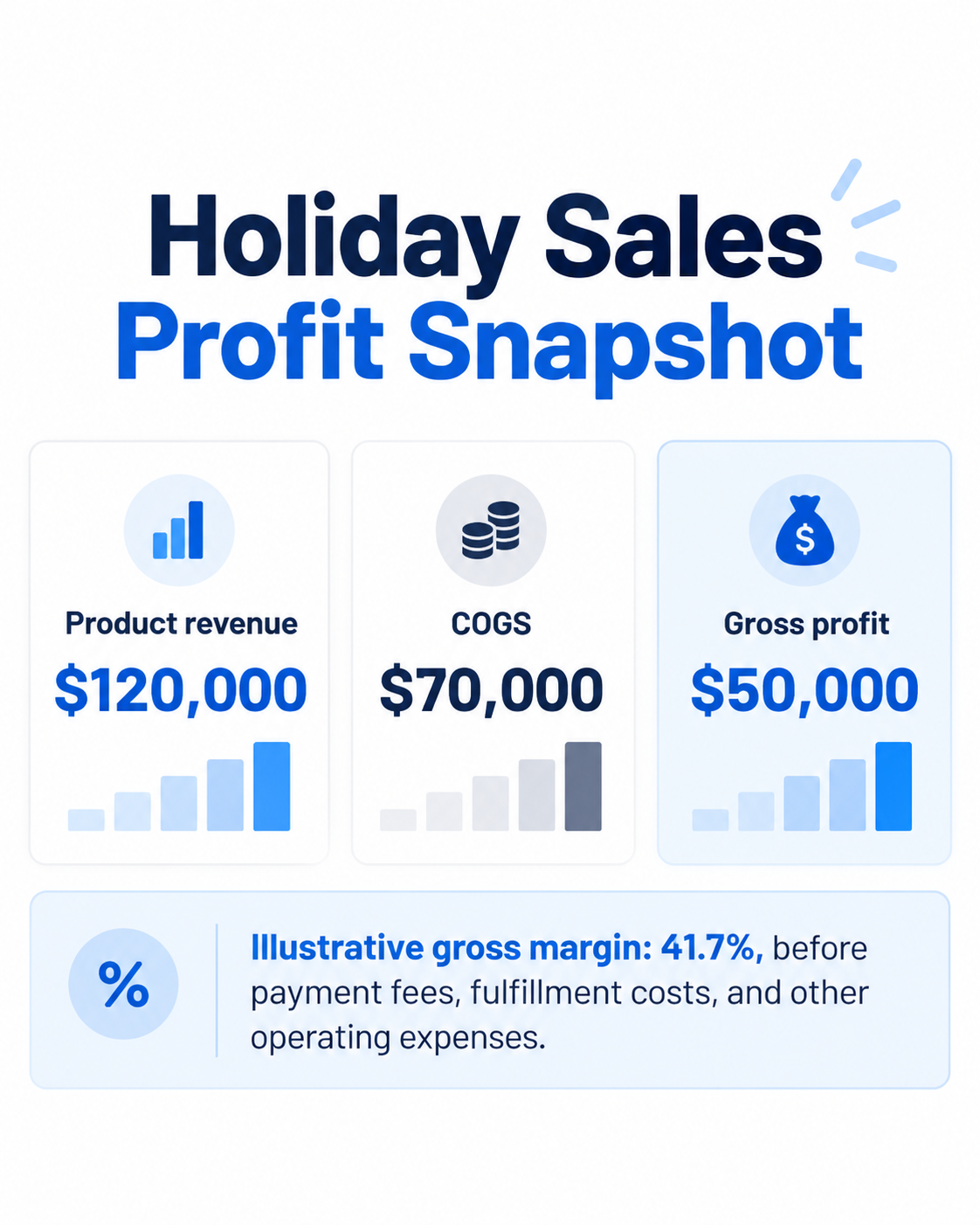
If 100 units are subsequently returned and qualify for inventory reinstatement, the corresponding COGS reversal would be $3,500, assuming the original recognized cost was $35 per unit.
The related revenue reversal would be $6,000.
These adjustments affect gross profit and inventory valuation even though the original sale occurred during the holiday period.
The timing of recognition must follow the applicable accounting framework, including any estimated returns already recognized.
Reconcile Holiday COGS and Inventory
Step 6: Match Payouts to Bank Deposits and Review Clearing Accounts
Once finance teams have reconstructed settlement components, they can complete the bank reconciliation.
The most important distinction is between an actual discrepancy and a timing difference.
A settlement processed on December 31 may not appear in the bank until January.
That does not necessarily mean the transaction is missing.
It may represent cash in transit or an outstanding processor receivable.
Clearing Account Review
Payment clearing accounts can help separate sales activity from cash receipt timing.
A typical accounting workflow records the amount due from a payment processor in a clearing account, then reduces it when the corresponding payout is deposited.
At period-end, the remaining balance should be explainable through outstanding settlements, reserves, unresolved adjustments, or other identifiable activity.
Finance teams should investigate clearing balances with no supporting settlement records or those that remain outstanding beyond expected processing periods.
A useful control is an aging report showing outstanding settlement amounts by processor, currency, payout date, and age.
Step 7: Resolve Reconciliation Exceptions Before Closing
Not every difference should be corrected immediately with a journal entry.
A reconciliation exception is an item that cannot yet be explained or matched using the available transaction, settlement, or accounting evidence.
Typical exceptions include:
| Exception | Investigation priority |
|---|---|
| Missing payout | Verify settlement status, expected date, and destination bank |
| Duplicate sales entry | Compare order and posting references |
| Unmatched refund | Trace the refund to its original order |
| Fee variance | Review processor deductions and fee mappings |
| Negative clearing balance | Check duplicates, timing, and classification |
| Missing COGS | Review product mapping and cost availability |
| Inventory discrepancy | Compare warehouse activity and inventory ledger |
Finance teams should assign an owner, document the cause, record the corrective action, and retain supporting evidence.
Material exceptions should be reviewed before financial statements are finalized.
Smaller differences may be handled according to an approved materiality and escalation policy.
Step 8: Complete the Post-Holiday Financial Close Checklist
The final close should verify both accounting completeness and the resolution of outstanding differences.
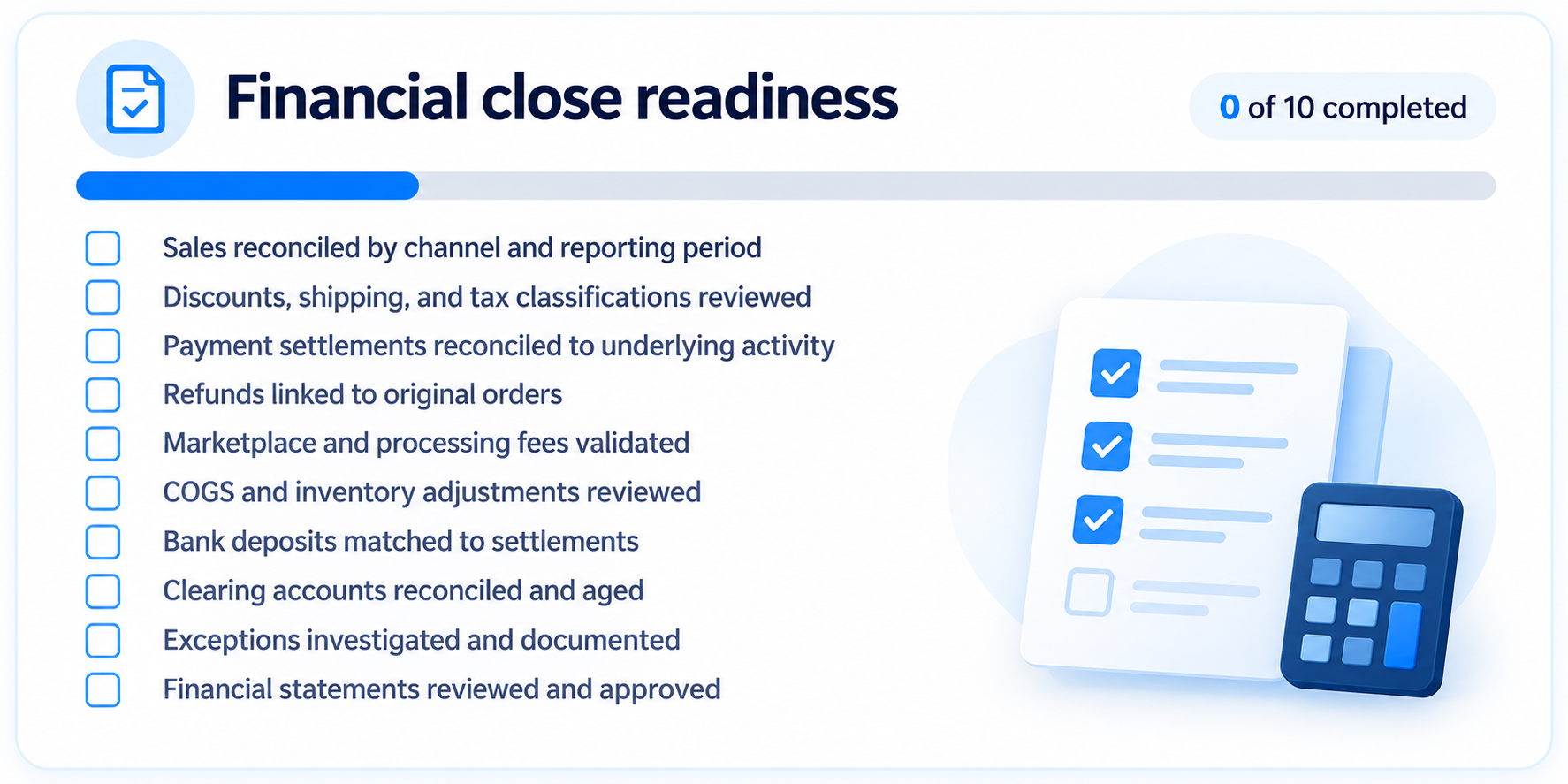
A close isn't complete just because bank balances agree.
Finance teams should also understand outstanding settlements, material refunds, inventory adjustments, and unresolved reconciliation items.
Prepare the Holiday Financial Close
How SyncTools Supports Post-Holiday eCommerce Reconciliation
The difficulty with seasonal reconciliation is often not a lack of financial data.
The data exists across disconnected systems.
Orders may be recorded in Shopify or WooCommerce, settlements processed by payment providers, inventory movements maintained in operational systems, and financial entries posted into QuickBooks or Xero.
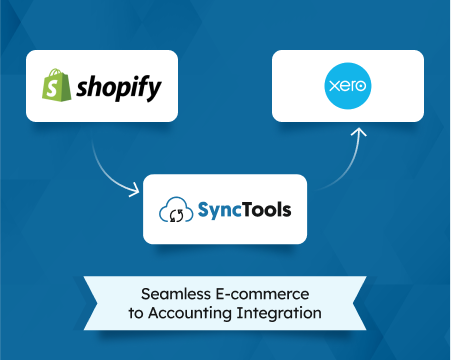
SyncTools connects supported eCommerce channels to accounting platforms so finance teams can work with structured transaction data instead of repeatedly reconstructing activity from separate exports.
Depending on the integration and configuration, SyncTools supports accounting workflows involving sales, refunds, fees, taxes, payouts, product mapping, and COGS. Its documented Shopify and QuickBooks integration also includes configurable COGS posting.
Where SyncTools fits into the Close Process
- Transaction data: Transfer supported eCommerce activity into the accounting environment.
- Account mapping: Apply configured treatment for revenue, fees, refunds, taxes, and relevant product activity.
- Payout accounting: Preserve the settlement components needed to investigate net deposits.
- COGS accounting: Support configured cost tracking and posting workflows.
- Historical activity: Support relevant historical transaction syncing, subject to setup and duplicate-control review.
- Human oversight: Use AI-assisted mapping suggestions with human review and approval.
The finance team remains responsible for accounting policies, reconciliation review, exceptions, and final financial reporting.
SyncTools is intended to support the data and accounting workflow, not replace those responsibilities.
When Should Finance Teams Consider Automation?
A useful starting point is to assess how much of the post-holiday close depends on manual exports, spreadsheet matching, and repeated corrections.
If the same reconciliation problems recur across multiple selling channels or accounting periods, the issue may be the underlying data flow rather than an isolated bookkeeping error.
Explore SyncTools eCommerce accounting automation to see how you can connect your supported sales channels and accounting systems for a more structured reconciliation process.
Final Thoughts: Close the Holiday Season With Explainable Numbers
Post-holiday reconciliation should do more than confirm how much cash arrived after Cyber Week.
It should establish whether sales were recorded completely, refunds were handled correctly, fees were classified appropriately, inventory and COGS were updated, and every material payout difference can be explained.
For controllers and accountants, the strongest close process preserves the link between the original transaction and its final accounting outcome.
That creates a more reliable foundation for financial reporting, margin analysis, cash planning, and the next peak selling season.
Frequently Asked Questions
What is post-holiday eCommerce reconciliation?
Post-holiday eCommerce reconciliation compares seasonal sales, payment settlements, refunds, fees, inventory activity, COGS, and bank deposits against accounting records. It identifies missing transactions, classification errors, timing differences, and other discrepancies before the financial close.
How do you reconcile eCommerce payouts after Cyber Week?
Start with each marketplace or payment processor settlement report. Identify the sales, discounts, refunds, taxes, fees, reserves, and adjustments included in the payout. Calculate the expected net settlement, compare it with the accounting clearing account, and match the resulting amount to the bank deposit. Investigate differences using payout identifiers and supporting transaction records.
Why don't eCommerce sales match bank deposits?
Sales and bank deposits measure different activity. Deposits may reflect net settlements after refunds, fees, reserves, and adjustments, while sales reports may use order dates or other reporting criteria. Settlement timing can also cause sales and deposits to appear in different accounting periods.
How should refunds from holiday sales be recorded?
Refunds should be linked to their original sales and recorded according to the applicable accounting policy. Finance teams should consider revenue adjustments, tax treatment, refund liabilities, retained processing fees, and inventory implications. The timing of the refund and physical return may differ.
How do you reconcile COGS after holiday returns?
Compare original COGS entries with returned quantities, product costs, and inventory inspection results. Where appropriate, reverse the related COGS and restore eligible inventory at the correct value. Damaged or unsellable goods may require different treatment.
Can post-holiday eCommerce reconciliation be automated?
Parts of the process can be automated, including supported transaction imports, account mapping, settlement data posting, and COGS workflows. However, exception investigation, accounting policy decisions, material adjustments, and financial close approval still require appropriate human review.
Ready to automate your accounting?
Connect Shopify, WooCommerce, or Linnworks to QuickBooks, Xero & more. Setup in minutes.