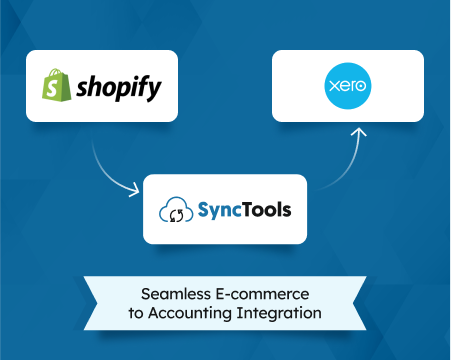
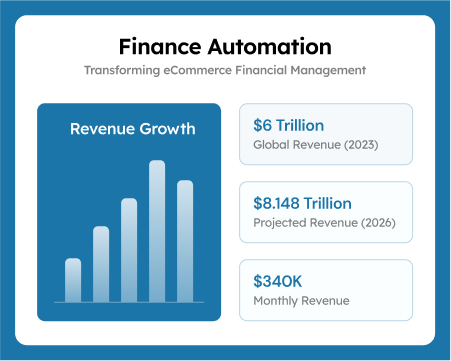
Ecommerce Inventory Management Software: 2026 Guide for Online Stores & DTC Brands

For an ecommerce business, inventory is not simply stock sitting in a warehouse.
It is cash that has already left the business and is waiting to return through a sale.
Buy too much, and working capital gets locked into products that may take months to sell. Buy too little, and bestselling products disappear from stock just when customers are ready to purchase.
Add multiple SKUs, warehouses, Shopify stores, marketplaces, returns, suppliers, fulfillment partners, and changing product costs, and inventory management quickly becomes more complicated than updating quantities in a spreadsheet.
This is where ecommerce inventory management software becomes important.
The right system helps businesses understand what they have, where it is located, how quickly it is selling, what needs to be reordered, and how inventory activity affects COGS and profitability.
This guide covers three fundamental questions:
- What should ecommerce inventory management software actually manage?
- How can ecommerce businesses track and optimize inventory?
- How should you evaluate inventory software as your business grows?
QUICK ANSWER
Ecommerce inventory management software helps online businesses track stock quantities, SKUs, locations, orders, purchases, inventory movements, and replenishment. More advanced workflows also connect inventory activity with product costs, COGS, accounting, and profitability.
1. What Is Ecommerce Inventory Management?
Ecommerce inventory management is the process of planning, purchasing, storing, tracking, selling, returning, and replenishing products sold through online channels.
It answers basic operational questions such as:
- What do we have?
- Where is it?
- What is selling?
- What needs to be reordered?
- What is not selling?
But growing ecommerce businesses need to answer another question:
What is all of this inventory doing to our cash and profitability?
That distinction matters.
A warehouse system may tell you that 500 units remain.
Finance needs to understand what those 500 units are worth, how much COGS has already been recognized, whether costs have changed between purchases, and how much money remains tied up in stock.
Why Ecommerce Inventory Management Gets Harder as You Grow
Inventory complexity rarely arrives all at once.
A business might begin with:
50 SKUs → One Shopify store → One warehouse
Then growth introduces:
500 SKUs → Shopify + marketplaces → 3PL → retail → multiple warehouses → international sales
Every additional channel creates another place where inventory can move.
The biggest challenges usually include:
| Challenge | Business Impact |
|---|---|
| Stockouts | Missed sales and poor customer experience |
| Overstocking | Cash tied up in slow-moving products |
| Incorrect stock quantities | Overselling and canceled orders |
| Multiple locations | Poor visibility into where stock actually sits |
| Returns | Differences between physical and recorded inventory |
| Changing product costs | Incorrect margins and COGS |
| Disconnected systems | Manual reconciliation and inconsistent reporting |
| Slow-moving inventory | Higher storage costs and weaker cash flow |
WHY THIS MATTERS
Inventory problems rarely stay inside the warehouse. They eventually appear in cash flow, gross margin, COGS, purchasing decisions, and financial reporting.
What Should an Ecommerce Inventory Management System Do?
A useful inventory system should cover more than quantity-on-hand.
Here are the core capabilities to evaluate.
1. Inventory Tracking
The foundation is knowing:
- Quantity available
- Quantity committed
- Quantity incoming
- Product SKU
- Product variant
- Inventory location
- Inventory adjustments
For businesses operating multiple warehouses or fulfillment locations, location-level tracking becomes especially important.
Shopify, for example, supports separate inventory quantities for individual locations such as warehouses, retail stores, dropshipping apps, and fulfillment providers.
2. SKU and Variant Management
Inventory should normally be tracked at the actual sellable SKU level.
Consider a clothing brand selling one T-shirt in:
5 sizes × 4 colors = 20 variants
Although customers may see one parent product, each variant can have a different:
- Inventory quantity
- Sales velocity
- Return rate
- Cost
- Reorder requirement
Without accurate SKU relationships, product-level decisions become much harder.
3. Multi-Channel Inventory Visibility
Modern ecommerce rarely happens through one storefront.
Inventory may be sold through:
Online Store → POS → Marketplace → Social Commerce → Wholesale
The inventory system needs to maintain enough visibility across channels to reduce situations where multiple channels attempt to sell the same unavailable stock.
4. Order Management
Inventory and orders are inseparable.
When an order is confirmed, the system should correctly account for its effect on available inventory.
The workflow becomes more complicated when orders are:
- Partially fulfilled
- Canceled
- Returned
- Exchanged
- Split between locations
- Backordered
Good inventory visibility therefore depends on order status being reflected correctly.
5. Purchase Order Management
Inventory management does not start when products reach the warehouse.
It starts when they are purchased.
Purchase order functionality helps businesses track:
Supplier → Quantity Ordered → Product Cost → Shipment → Receipt → Available Stock
Growing businesses should also monitor expected inventory so purchasing teams understand what is already on the way before placing another order.
6. Warehouse and Location Tracking
A single inventory number becomes less useful once stock is distributed across locations.
For example:
| Location | Units |
|---|---|
| US Warehouse | 800 |
| Canada Warehouse | 250 |
| 3PL | 600 |
| Retail Store | 150 |
| Total | 1,800 |
Knowing that you own 1,800 units is useful.
Knowing where those units are available to fulfill demand is much more useful.
7. Returns Management
Returns can make inventory accuracy difficult.
When a customer sends an item back, the business must determine whether it is:
Sellable → return to inventory
or
Damaged / unsellable → adjustment or write-off
A refund therefore does not automatically mean the item should return to available stock.
For businesses with significant return volume, the distinction can materially affect reported inventory and product profitability.
8. Inventory and Accounting Integration
This is where inventory management becomes financially meaningful.
Your inventory system may know:
25 Units Were Sold
Your accounting system needs to know:
What was the cost associated with those 25 units?
Inventory activity can affect:
Inventory Asset → COGS → Gross Profit → Balance Sheet → P&L
QuickBooks Online, for example, can track quantities on hand, restocking, product purchases, and COGS within supported inventory configurations.
ACCOUNTING CHECK
Having the correct number of units in your warehouse does not automatically mean your accounting is correct.
Quantity accuracy and inventory-value accuracy need to work together.
2. Ecommerce Inventory Metrics You Should Track
Software is useful only if it helps you make better decisions.
These metrics provide a clearer picture of inventory efficiency.
Inventory Turnover Ratio
Inventory turnover measures how frequently inventory is sold during a period.
Formula:
Inventory Turnover = COGS ÷ Average Inventory
Suppose:
COGS = $600,000
Average Inventory = $150,000
Inventory turnover:
$600,000 ÷ $150,000 = 4
The business turns its inventory approximately four times during the period.
A low turnover rate can signal excessive stock, weak demand, or slow-moving products, although appropriate benchmarks vary significantly by industry and product type.
Days Inventory Outstanding
DIO estimates how long inventory remains in the business before being sold.
Formula:
DIO = (Average Inventory ÷ COGS) × Days in Period
Using the same numbers:
Average inventory = $150,000
COGS = $600,000
For a 365-day year:
($150,000 ÷ $600,000) × 365 = 91.25 days
The business holds inventory for approximately 91 days on average.
Sell-Through Rate
Sell-through shows how much inventory received during a period was sold.
Formula:
Sell-Through Rate = Units Sold ÷ Units Received × 100
Example:
Received = 1,000 units
Sold = 700 units
Sell-through:
70%
This can be particularly useful for seasonal products, new collections, and product launches.
Reorder Point
The reorder point indicates when replenishment should begin.
Formula:
Reorder Point = Average Daily Sales × Lead Time + Safety Stock
Example:
Daily sales = 20 units
Supplier lead time = 10 days
Safety stock = 100
Reorder point:
20 × 10 + 100 = 300 units
Once inventory reaches approximately 300 units, the business should consider initiating replenishment based on its purchasing policy.
Safety Stock
Safety stock protects the business against unexpected demand or supplier delays.
It becomes particularly important when:
- Supplier lead times vary
- Demand is seasonal
- Products have long manufacturing cycles
- International shipping is involved
- Promotions create sudden demand spikes
Turn Inventory Data Into Better Decisions
Track turnover, stock levels, sell-through, reorder points, and other key inventory metrics in one place. Automate inventory monitoring and make faster, more informed decisions as your ecommerce business grows.
3. How to Optimize Ecommerce Inventory
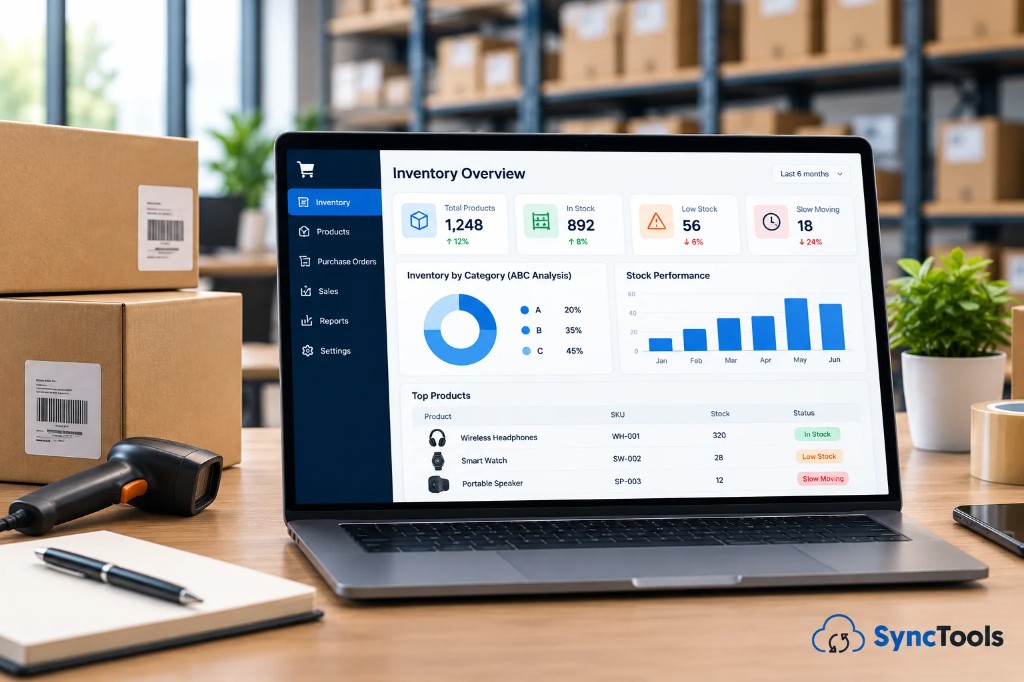
Managing inventory well does not require one universal strategy.
Different SKUs require different approaches.
Use ABC Inventory Analysis
ABC analysis separates products based on their business importance.
A simple structure is:
| Category | Typical Characteristics | Management Priority |
|---|---|---|
| A | High-value or high-impact products | Closely monitored |
| B | Moderate-value products | Regular monitoring |
| C | Lower-value products | Simpler controls |
The exact percentage split should depend on the business rather than being treated as a rigid formula.
The important point is this:
Not every SKU deserves the same amount of purchasing attention.
Consider FIFO Where Appropriate
FIFO means First In, First Out.
Operationally, older inventory is sold or dispatched first.
For accounting, FIFO assigns older inventory costs to COGS first.
Consider:
100 units purchased at $15
100 units purchased later at $18
If 120 units are sold under FIFO:
100 × $15 = $1,500
20 × $18 = $360
COGS = $1,860
80 units remain at $18 each:
Ending Inventory = $1,440
The appropriate inventory costing method depends on applicable accounting requirements and the business's circumstances, so accounting policies should be reviewed with a qualified accountant.
Identify Dead and Slow-Moving Stock Early
Dead inventory does more than consume warehouse space.
It traps cash.
A useful inventory dashboard should help identify products where:
- Days since last sale are increasing
- Sell-through is falling
- Inventory quantities remain high
- Repeat purchasing has slowed
- Storage costs are increasing
The earlier a slow-moving product is identified, the more options the business has.
These might include:
Discounting → Bundling → Promotions → Reduced Purchasing → Product Discontinuation
PRACTICAL QUESTION
Don't only ask:
"How many units do we have?"
Ask:
"How long have we had them, what did they cost, and how quickly are they turning back into cash?"
4. Forecast Ecommerce Inventory Demand
Demand forecasting helps determine how much inventory should be purchased and when.
Useful inputs include:
Historical sales + seasonality + promotions + lead times + current stock + incoming inventory
For example, last year's sales alone may not be enough.
Suppose monthly sales usually average 2,000 units.
A major campaign planned next month is expected to increase demand by 35%.
Expected demand becomes approximately:
2,000 × 1.35 = 2,700 units
Purchasing teams must then compare expected demand with:
- Available inventory
- Safety stock
- Incoming purchase orders
- Supplier lead time
Inventory software should make those relationships easier to see.
5. Ecommerce Inventory Software vs Native Ecommerce Inventory Tools
Platforms such as Shopify already provide useful inventory functionality.
Shopify can track products across multiple locations, manage quantities independently by location, and work with fulfillment services and apps.
For a simple business, this may be sufficient.
But requirements often expand as a business adds:
More SKUs + More Channels + More Warehouses + More Vendors + More Accounting Complexity
At that point, dedicated inventory, ERP, WMS, or accounting-connected systems may become necessary.
When Native Inventory May Be Enough
Native ecommerce inventory functionality may work well when you have:
- One primary sales channel
- Limited SKUs
- Few locations
- Straightforward purchasing
- Limited manufacturing requirements
- Simple reporting needs
When Dedicated Software Becomes More Useful
Consider specialized ecommerce inventory management software when you need:
- Multi-channel inventory
- Multi-warehouse control
- Advanced purchase orders
- Supplier management
- Forecasting
- Assemblies or bundles
- More sophisticated inventory reporting
- Stronger accounting integration
- Detailed inventory costing
- Product-level profitability analysis
6. What Features Should Ecommerce Inventory Management Software Have?
When comparing systems, focus on business requirements rather than the longest feature list.
| Capability | Why It Matters |
|---|---|
| SKU-level tracking | Maintains accurate product visibility |
| Multi-location inventory | Tracks where stock physically sits |
| Multi-channel support | Reduces inventory inconsistencies |
| Purchase orders | Improves replenishment management |
| Supplier tracking | Supports purchasing decisions |
| Reorder alerts | Helps reduce stockouts |
| Forecasting | Improves purchase planning |
| Returns handling | Maintains inventory accuracy |
| Product costing | Improves margin visibility |
| COGS integration | Connects inventory to financial reporting |
| Accounting integration | Reduces disconnected data |
| API access | Supports future integrations |
| Reporting | Makes inventory data actionable |
BUYER CHECKLIST
Before choosing inventory software, ask:
- Can it tell us what we have?
- Can it tell us where it is?
- Can it tell us what it cost?
- Can it connect sales with inventory movements?
- Can our accounting system understand the financial impact?
- Will it still work when our order volume doubles?
7. Which Ecommerce Inventory Management Software Is Right for Your Business?
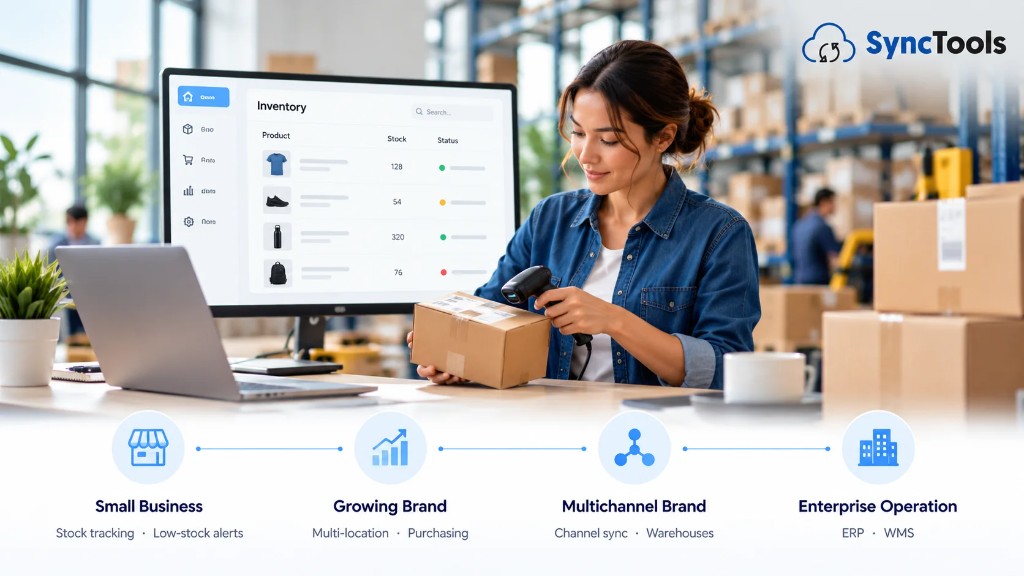
There is no universal best inventory platform.
The better question is:
Which type of inventory system matches your operational complexity?
Small Ecommerce Business
A smaller store may mainly need:
Stock tracking + low-stock alerts + basic purchasing + ecommerce integration
Built-in ecommerce inventory features may be sufficient.
Growing Ecommerce Brand
A growing business may require:
Multi-location inventory + supplier management + purchase orders + forecasting + accounting integration
At this stage, spreadsheets usually become harder to maintain reliably.
Multichannel Brand
A multichannel business may need:
Central inventory + channel synchronization + warehouse/3PL integration + SKU mapping + product-cost visibility
Complex or Enterprise Operation
Larger businesses may require:
ERP + WMS + procurement + forecasting + inventory accounting + advanced reporting + customized integrations
Find the Right Inventory Solution for Your Ecommerce Business
Choose an inventory system that fits your business today and scales with your operations as you grow.
8. Inventory Management Software and Accounting Software Are Not the Same
This distinction is particularly important.
Inventory software focuses primarily on the movement and availability of products.
Accounting software focuses on their financial impact.
Consider one ecommerce sale.
Operationally:
- 1 product sold.
Financially:
- Revenue recorded
- Tax recorded
- Payment fee recorded
- Product cost recognized
- COGS recorded
- Inventory value reduced
- Payment eventually reconciled
This is why connecting ecommerce, inventory, and accounting data matters.
9. How Inventory Affects COGS and Profitability
Imagine a store sells a product for:
Selling price: $100
Its product cost is:
$35
Gross profit before considering other costs:
$100 − $35 = $65
Now imagine the accounting system records the $100 sale but misses the $35 COGS.
Reported gross profit becomes:
$100
That creates an incorrect picture of profitability.
At higher volumes, these differences can become significant.
This is why finance teams need product costs and ecommerce transactions to reach accounting in a structured way.
KEY TAKEAWAY
Revenue tells you how much you sold.
Inventory and COGS help explain how much those sales actually cost.
You need both to understand gross profit.
10. How SyncTools Fits Into Ecommerce Inventory Accounting
SyncTools should not be positioned as a warehouse management system.
Its role is different.
It helps connect ecommerce transaction data with accounting systems so finance teams can maintain the financial side of ecommerce activity.
For Shopify and QuickBooks Online, SyncTools can synchronize items including orders, refunds, fees, taxes, COGS, payouts, products, and related accounting information. It also supports summarized journal entries or individual transaction syncing depending on the accounting workflow.
That creates a workflow such as:
Shopify → Orders & Product Activity → SyncTools → QuickBooks → Financial Reporting
SyncTools also supports product and category-based accounting mappings, which can help finance teams build more useful product-level reporting inside QuickBooks.
The goal is not to replace the operational inventory platform.
It is to help make sure ecommerce activity reaches accounting with the detail needed for:
Sales → Refunds → Fees → Taxes → COGS → Payouts → Reconciliation
11. Ecommerce Inventory Management Software Implementation Checklist
Buying software does not automatically fix an inventory process.
Before implementation, work through the following:
Clean Product Data
Standardize:
- SKU
- Product name
- Variant
- Cost
- Category
- Location
Confirm Opening Inventory
Your new system needs a reliable starting point.
Incorrect opening quantities can carry errors forward.
Review SKU Mapping
One SKU should represent the same sellable product consistently across connected systems wherever possible.
Define Inventory Locations
Document every location holding inventory.
Review Costing Policies
Confirm how product costs, landed costs, adjustments, and COGS should be handled.
Connect Ecommerce and Accounting Systems
Decide which information should move between:
Store → Inventory → Fulfillment → Accounting
Test Before Full Rollout
Use a controlled period or sample products before moving the entire catalog.
Reconcile Regularly
Compare:
Physical inventory → Inventory system → Ecommerce platform → Accounting
Differences should be investigated rather than simply overwritten.
12. Common Ecommerce Inventory Management Mistakes
Even strong software cannot compensate for poor data.
Watch for these common problems:
Using duplicate SKUs
The same product exists under multiple identifiers.
Ignoring returns
Refunded products are returned financially but not operationally, or vice versa.
Reordering from intuition alone
Purchasing is based on instinct rather than velocity and lead time.
Ignoring product costs
Teams track quantities but have limited visibility into actual COGS.
Treating every SKU equally
Low-value products receive the same purchasing attention as major revenue drivers.
Over-relying on spreadsheets
Manual files become increasingly difficult to maintain as channels, SKUs, and locations multiply.
Disconnecting operations from finance
Warehouse data and accounting data tell different stories.
Final Thoughts: Better Inventory Decisions Start With Better Financial Visibility
Inventory management is often treated as an operations problem.
It is also a cash-flow problem.
A stockout can cost revenue.
Overstock can trap working capital.
Incorrect product costs can distort margins.
Missing COGS can make profitability look stronger than it is.
And disconnected inventory and accounting systems can leave finance teams spending month-end trying to reconstruct what actually happened.
The right ecommerce inventory management software should therefore do more than tell you how many products are sitting on a shelf.
It should help your business understand:
- What is selling?
- What is not.
- What needs to be reordered.
- What your inventory is costing you.
- And how those decisions affect cash and profit.
For ecommerce finance teams, the final piece is making sure those operational events are properly represented in accounting.
SyncTools connects ecommerce activity with accounting data, helping turn orders, refunds, fees, taxes, COGS, payouts, and product information into financial records that are easier to review, reconcile, and use for decision-making.
Your inventory system tells you what you have. Your accounting should tell you what it means.
Connect your ecommerce sales and product activity with your accounting workflow using SyncTools.
Keep COGS, refunds, fees, taxes, payouts, and product reporting connected to the numbers your finance team actually uses.
Frequently Asked Questions
What is ecommerce inventory management software?
Ecommerce inventory management software helps online businesses monitor stock, SKUs, inventory locations, purchases, sales, transfers, returns, and replenishment. More advanced systems may also support forecasting, supplier management, product costing, and integrations with accounting software.
Why do ecommerce businesses need inventory software?
As ecommerce businesses add products, warehouses, and sales channels, manually keeping inventory accurate becomes increasingly difficult. Inventory software creates better visibility into quantities, locations, sales velocity, replenishment, and inventory movement.
Does Shopify have inventory management?
Yes. Shopify provides inventory tracking and supports quantities across multiple locations such as stores, warehouses, and compatible fulfillment services. Businesses with more complex operational, forecasting, purchasing, manufacturing, or accounting needs may require additional software.
Can QuickBooks manage inventory?
QuickBooks Online provides inventory functionality in supported configurations, including quantity-on-hand tracking, low-stock alerts, purchasing, restocking, and inventory reports. Availability varies by plan and configuration.
What is the difference between inventory and COGS?
Inventory generally represents products that remain unsold and are held as an asset. COGS represents the cost assigned to products that have been sold during the accounting period.
What is the best inventory management method for ecommerce?
There is no single method that fits every ecommerce business. FIFO, weighted-average costing, ABC analysis, safety-stock planning, and reorder-point management solve different parts of the inventory problem. Accounting-costing policies should also follow applicable standards and professional accounting guidance.
What should I look for in ecommerce inventory software?
Focus on SKU tracking, multi-channel support, multiple locations, purchase orders, returns, forecasting, inventory costing, supplier management, reporting, accounting integration, and the ability to support increasing transaction volume.
Does inventory management software integrate with accounting software?
Many inventory platforms offer accounting integrations. The important question is not only whether an integration exists but which data actually moves between the systems, such as product quantities, inventory value, COGS, purchases, refunds, and adjustments.
Ready to automate your accounting?
Connect Shopify, WooCommerce, or Linnworks to QuickBooks, Xero & more. Setup in minutes.